Post
Setting up a portfolio site
Why I did it, what I wanted, how I accomplished it.
So I decided that it was time to get myself a portfolio site out there. I’ve had this simmering in the back of my head for a while; today I decided it was time to finally get it done.
Why exactly? I don’t know that I could pick just one reason, there’s a kind of cocktail of things swimming around in my head right now.
Part of it I suppose, is awareness of the world we live in as of 2026. Having some kind of a presence online used to be a big deal, for a business to start, but even more so for an individual. Perhaps less so for a nerd. But in any case, that’s not really the world we have any more. These days it’s just table stakes. Even more so for me, a nerd. an “IT guy”. A denizen of the land of servers and code and AIs and internets and all the rest. This is the space I’ve chosen to play in. I should actually, you know, play.
Perhaps another part of it is some kind of midlife crisis BS. I’m kind of getting to that point, hard as it is for me to believe it. Maybe some part of my brain wants to find some re-assurance that I still know how to bring it, still got the chops to keep up. Who knows? I don’t feel like that’s what it is, but… psychology, man.
I think a big part of it though, is just to have a place to keep a log of the different projects I’m working on and what I’m experimenting with, what works, what doesn’t, what I’ve learned. I do a lot of tinkering. Might as well have something to show for it, aside from all the pretty docker containers I have running that my wife doesn’t really care about (though you’d never know it. She always takes the time to listen to my technobabble and cheer me on.)
And speaking of tinkering, building the site was a cool tinker project to undertake and I can always use more of those.
So, that’s how we landed here, more or less. So, what is “here?”
What I wanted
Going into this, I had a fairly well formed idea of where I wanted to end up:
- Static site generator, no WordPress or Drupal or any heavy CMS of that kind.
- Write content (mostly) with Markdown.
- Deployable through automated actions on my self-hosted Forejo instance.
Beyond that, I was fairly open. Didn’t know too much about the static site generator landscape (and still don’t).
So, naturally my first action was to hike my butt over to my locally hosted Qwen, as one does, and ask “hey Qwen, I want to build a portfolio for myself with these requirements. What’s out there that would be suitable?”
So Qwen went out and sniffed around, as one’s AI does, and came back with recommendations for me:
- Astro
- Hugo
- Eleventy
- Zola
I picked Astro, not entirely because it was the first one on the list. Looking over the info I got back, some other things stuck out to me as useful about it - such as the ability to mix in some lightweight component building and JS if desired. The tradeoff is that Astro is a fair bit slower to generate a site (~15-25s / 1,000 pages) vs something like Hugo written in Go (10,000 pages in ~10s as my AI tells me) - but at the scale I’m looking at here, I don’t see that becoming an issue.
How it’s built
In the git repo for the site, a couple of key directories are set up:
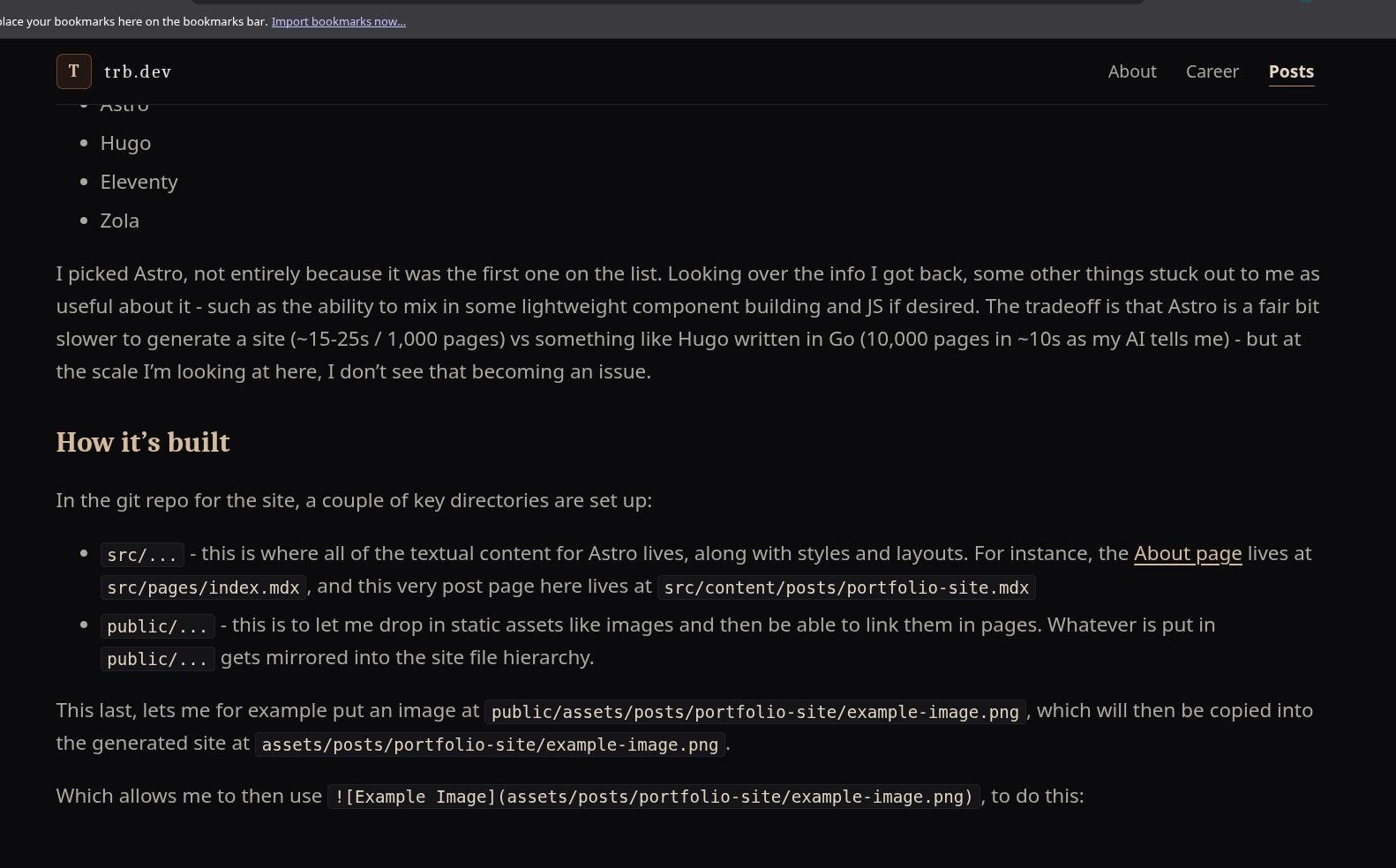
src/...- this is where all of the textual content for Astro lives, along with styles and layouts. For instance, the About page lives atsrc/pages/index.mdx, and this very post page here lives atsrc/content/posts/portfolio-site.mdxpublic/...- this is to let me drop in static assets like images and then be able to link them in pages. Whatever is put inpublic/...gets mirrored into the site file hierarchy.
Note:
.mdxinstead of.mdis Astro’s extension for “markdown that includes Astro components, not just pure Markdown”
This last, lets me for example put an image at public/assets/posts/portfolio-site/example-image.png, which will then be copied into the generated site at assets/posts/portfolio-site/example-image.png.
Which allows me to then use , to do this:
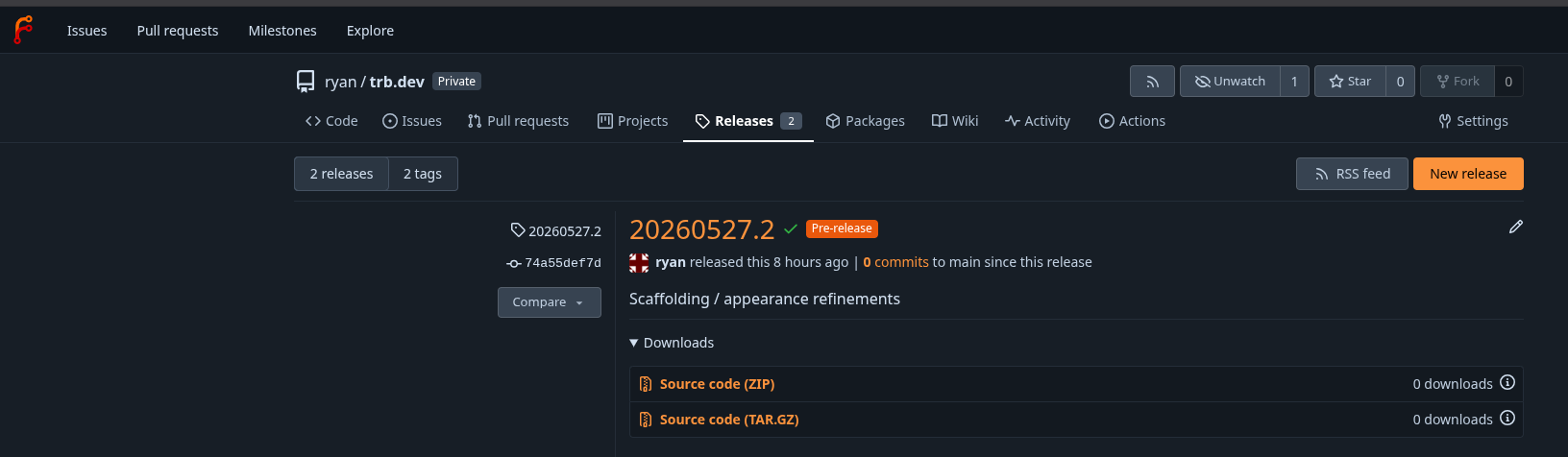
With the site set up in the Git repo, I then added a Forgejo action in .forgejo/workflows/release-deploy.yml, which builds the site with Astro and copies it to a directory on my NAS any time I create a tagged release (formatted YYYYMMDD.X) in Forgejo.
Note: this action has two different deployment paths:
- an alpha / preview deployment, if I make a “Prerelease” release in Forgejo
- a public / production deployment otherwise
.forgejo/workflows/release-deploy.ymlname: Release Deploy
on:
release:
types:
- published
jobs:
deploy:
name: Build and deploy static site
runs-on: all
container:
image: node:25-bookworm
steps:
- name: Checkout
uses: actions/checkout@v4
with:
fetch-depth: 0
- name: Install system packages
run: |
apt-get update
apt-get install -y --no-install-recommends ca-certificates openssh-client rsync
rm -rf /var/lib/apt/lists/*
- name: Install pnpm
run: npm install -g pnpm@10.33.0
- name: Install dependencies
run: pnpm install --frozen-lockfile
- name: Resolve deployment target
id: deploy-target
env:
NAS_SSH_HOST: ${{ vars.NAS_SSH_HOST }}
NAS_SSH_USER: ${{ vars.NAS_SSH_USER }}
NAS_SSH_PORT: ${{ vars.NAS_SSH_PORT }}
run: |
node <<'NODE'
const fs = require("node:fs");
const eventPath = process.env.FORGEJO_EVENT_PATH || process.env.GITHUB_EVENT_PATH;
const event = eventPath ? JSON.parse(fs.readFileSync(eventPath, "utf8")) : {};
const release = event.release || {};
const tag =
release.tag_name ||
release.tag ||
process.env.FORGEJO_REF_NAME ||
process.env.GITHUB_REF_NAME ||
"";
const isPrerelease = Boolean(release.prerelease);
const destination = isPrerelease
? "/share/homes/trb/alpha_html"
: "/share/homes/trb/public_html";
if (!isPrerelease && !/^\d{8}\.\d+$/.test(tag)) {
throw new Error(`Production release tag must match YYYYMMDD.X, got '${tag}'`);
}
for (const name of ["NAS_SSH_HOST", "NAS_SSH_USER"]) {
if (!process.env[name] || !process.env[name].trim()) {
throw new Error(`Repository variable ${name} is required`);
}
}
const output = process.env.FORGEJO_OUTPUT || process.env.GITHUB_OUTPUT;
fs.appendFileSync(output, `tag=${tag}\n`);
fs.appendFileSync(output, `environment=${isPrerelease ? "alpha" : "production"}\n`);
fs.appendFileSync(output, `destination=${destination}\n`);
fs.appendFileSync(output, `ssh_port=${process.env.NAS_SSH_PORT || "22"}\n`);
NODE
- name: Confirm tag is on main
env:
TAG: ${{ steps.deploy-target.outputs.tag }}
run: |
git fetch --tags origin
git fetch origin main:refs/remotes/origin/main
TAG_COMMIT="$(git rev-list -n 1 "$TAG")"
git merge-base --is-ancestor "$TAG_COMMIT" origin/main
- name: Build
run: pnpm build
- name: Configure SSH
env:
NAS_SSH_PRIVATE_KEY: ${{ secrets.NAS_SSH_PRIVATE_KEY }}
NAS_SSH_KNOWN_HOSTS: ${{ secrets.NAS_SSH_KNOWN_HOSTS }}
run: |
if [ -z "$NAS_SSH_PRIVATE_KEY" ]; then
echo "Secret NAS_SSH_PRIVATE_KEY is required" >&2
exit 1
fi
if [ -z "$NAS_SSH_KNOWN_HOSTS" ]; then
echo "Secret NAS_SSH_KNOWN_HOSTS is required" >&2
exit 1
fi
install -m 700 -d ~/.ssh
printf '%s\n' "$NAS_SSH_PRIVATE_KEY" > ~/.ssh/nas_deploy
chmod 600 ~/.ssh/nas_deploy
printf '%s\n' "$NAS_SSH_KNOWN_HOSTS" > ~/.ssh/known_hosts
chmod 600 ~/.ssh/known_hosts
- name: Deploy
env:
NAS_SSH_HOST: ${{ vars.NAS_SSH_HOST }}
NAS_SSH_USER: ${{ vars.NAS_SSH_USER }}
DESTINATION: ${{ steps.deploy-target.outputs.destination }}
SSH_PORT: ${{ steps.deploy-target.outputs.ssh_port }}
run: |
rsync -az --delete \
-e "ssh -i ~/.ssh/nas_deploy -p ${SSH_PORT}" \
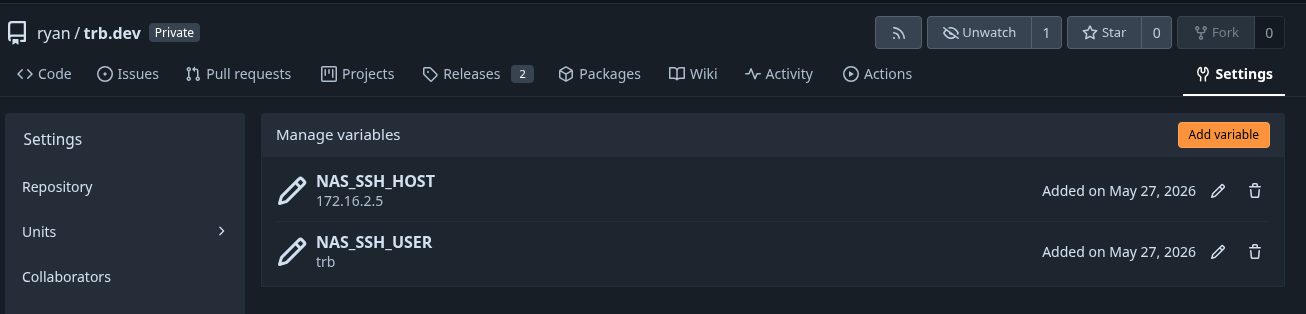
dist/ "${NAS_SSH_USER}@${NAS_SSH_HOST}:${DESTINATION}/"This is then combined with a couple of vars set up on the Forgejo repo:
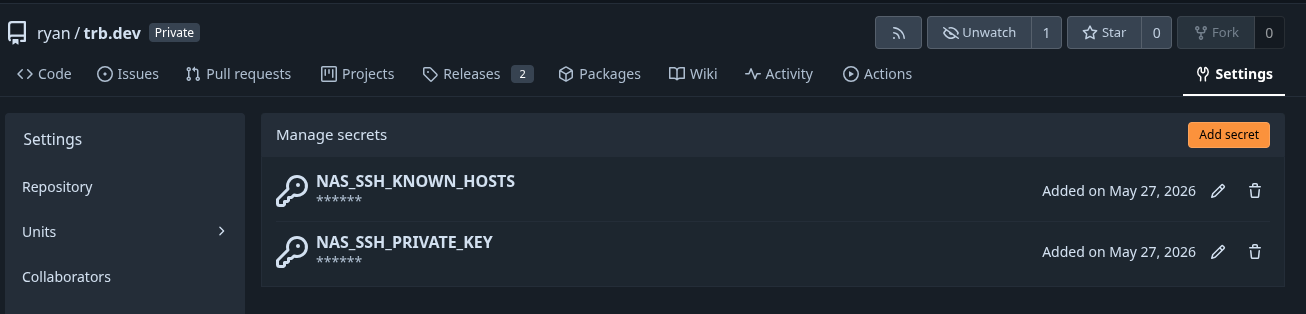
As well as a couple of secrets:
The effect of which, is that when I create a release:
The configured action runs automatically, pushing the site:
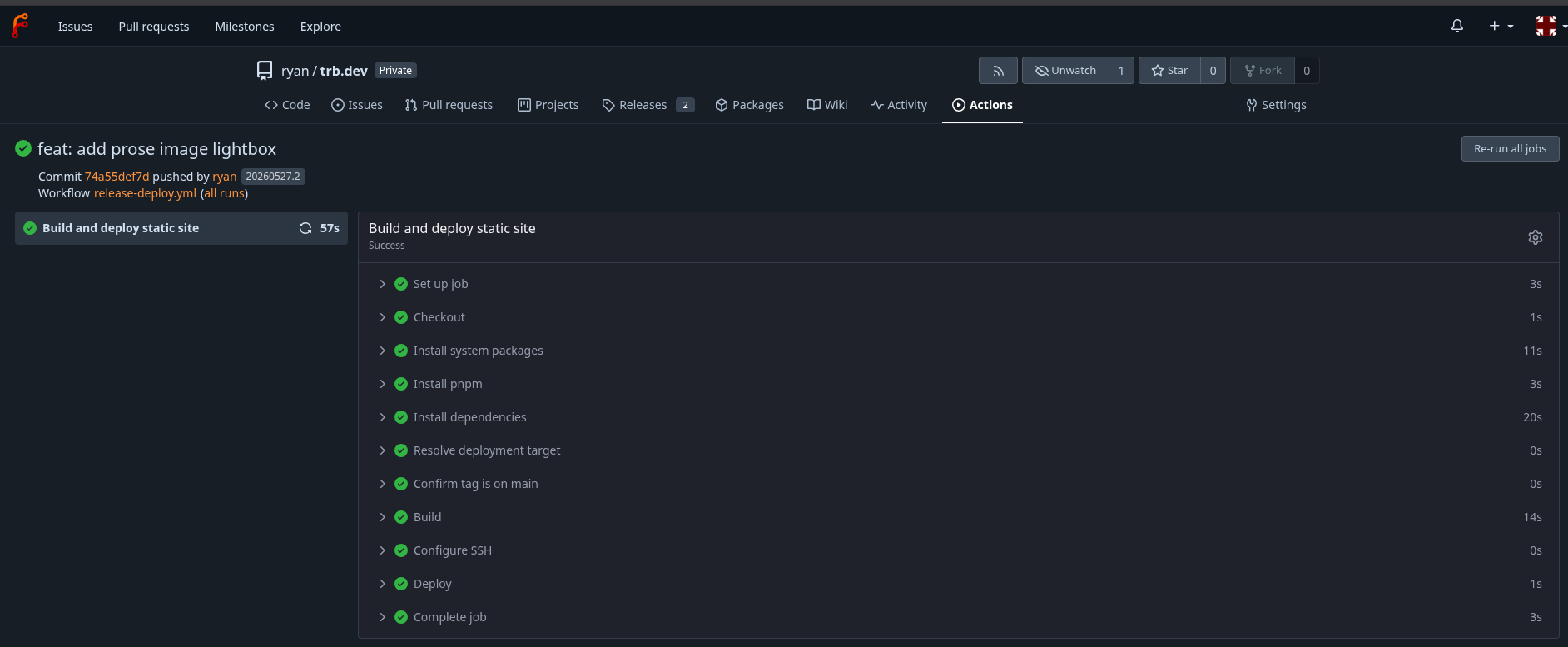
The only remaining thing to do, is to make the site accessible to the world!
For this, in the deployment specification for my Caddy instance (which runs from the NAS, we mount the directories where the site files are) stored:
services:
  caddy-server:
    image: 172.16.2.5:5000/caddy2-alpine-namecheap-crowdsec-appsec-bouncer
    ports:
      - 80:80
      - 443:443
    volumes:
      - data:/data
      - /share/Container/container-app-configs/caddy/conf:/etc/caddy
      - /share/logs/caddy:/var/log/caddy/access
      - /share/homes/trb/alpha_html:/var/www/trb/alpha:ro # <-- mounts preview deployment
      - /share/homes/trb/public_html:/var/www/trb/public:ro # <-- mounts public / prod deployment
# ...snip...
… and serve the site with corresponding Caddyfile directives:
# ...snip...

alpha.trb.dev {
  import tls_acme_mtls
  root /var/www/trb/alpha
  file_server
}

trb.dev {
  import acme_tls_dns
  root /var/www/trb/public
  route {
    crowdsec
    appsec
    file_server
  }
}

# ...snip...
and with that, we’re off to the races!
That’s all for now, boys and girls. Hope you enjoyed it!